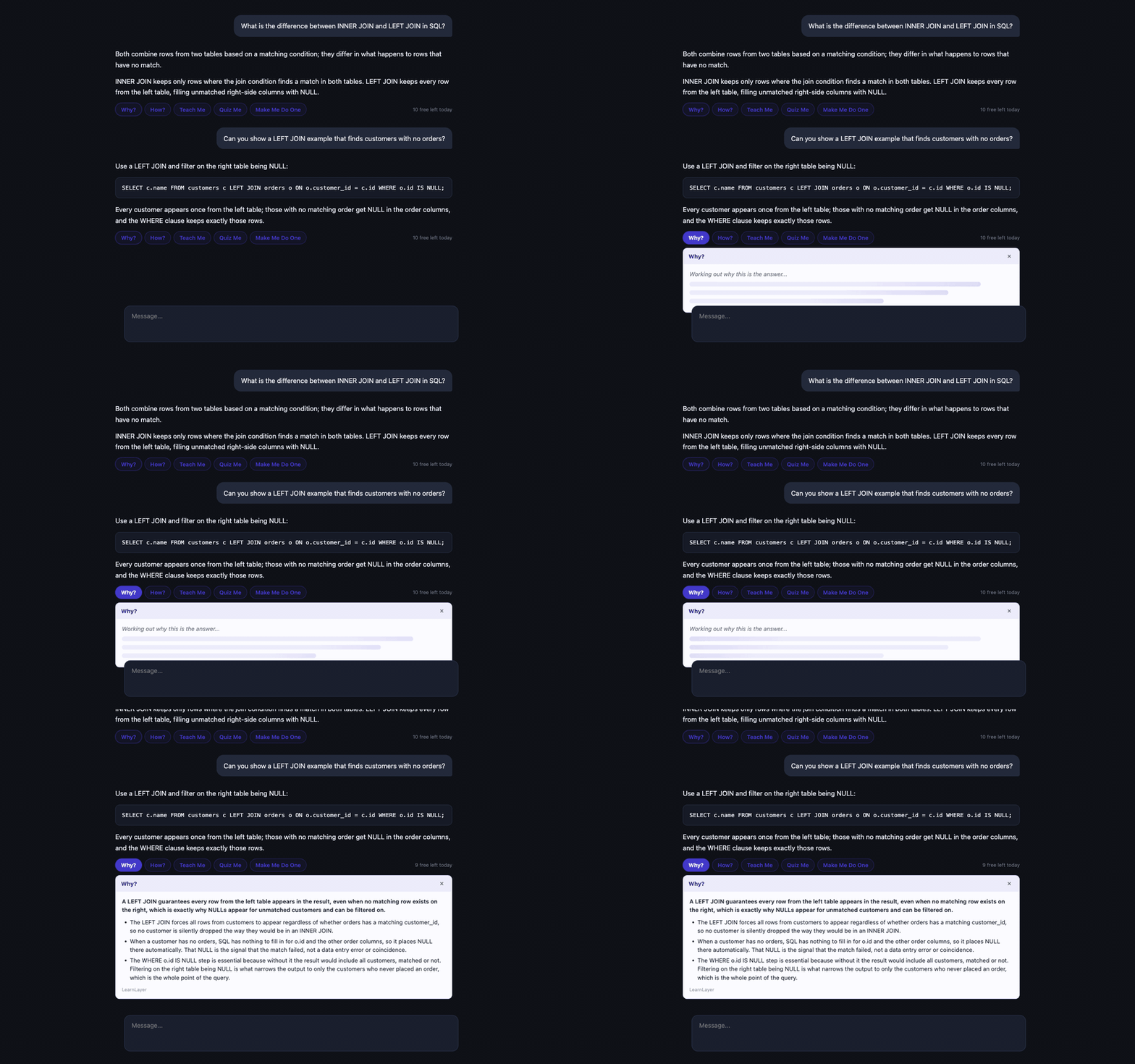
Real understanding for students who use AI, in the exact moment they would have hit copy. LearnLayer puts five buttons under every AI answer that turn it into a lesson, a quiz, or a fresh problem that is yours to solve.
Both combine rows from two tables based on a matching condition; they differ in what happens to rows that have no match. INNER JOIN keeps only the rows where the join condition finds a match in both tables. LEFT JOIN keeps every row from the left table, filling unmatched right-side columns with NULL...
Every lesson in this demo is real output from LearnLayer's live engine, generated for this exact answer and embedded here. Click the buttons. The quiz grades itself.
Not a separate study app you have to remember to open. Not a lecture before you ask. The buttons sit directly under the answer, so doing the right thing costs one click more than doing the easy thing.
Each button has one pedagogical job, and none of them is "give me the answer again."
Works on ChatGPT, Claude, and Gemini with the same buttons and the same habit. Switch AI tools tomorrow; your tutor comes with you. Layered detection with a graceful fallback survives their redesigns.
Nothing leaves your browser until you click. Then the answer and your question are sent once, used once, stored never. No account, no tracking.
Three questions per answer, built from that answer. Multiple choice grades instantly; distractors are real misconceptions, not filler.
Make Me Do One invents a fresh problem at the same difficulty and refuses to hand you the answer. A nudge and a method outline, nothing more.
AI answers are not going away, and pretending students will not use them is a losing strategy. LearnLayer's bet: the cheapest possible path from "I have the answer" to "I understand the answer" wins. That path is one button, under the answer, in the moment of highest temptation.
Use it where you work. All four surfaces talk to the same engine with the same privacy promise.
The main event: buttons under every answer on the AI chat sites.
Chrome Web Store listing is in preparation; today it loads unpacked from the repo.
Paste a question and an answer, pick a mode, learn. Nothing to install.
Works on your phone too. Same 10 free lessons a day.
Pipe any answer in, get a lesson back in glorious ANSI.
Zero dependencies, Node 18+. npm publish pending; the curl works today.
The buttons for ANY app: Claude desktop, ChatGPT desktop, Safari, PDFs. Select an answer, get a lesson in a floating panel.
No permissions needed for the copy-then-click flow; one Accessibility toggle unlocks the Cmd+Shift+L global hotkey. Python 3 + tkinter, no packages installed.
The free tier is genuinely useful forever. Pro exists for the people who want this on every answer, every day.
Honesty note: checkout is not live yet. The free tier is real and works today; paid tiers launch with the store listing.